Sprints at Connexions – Day 1

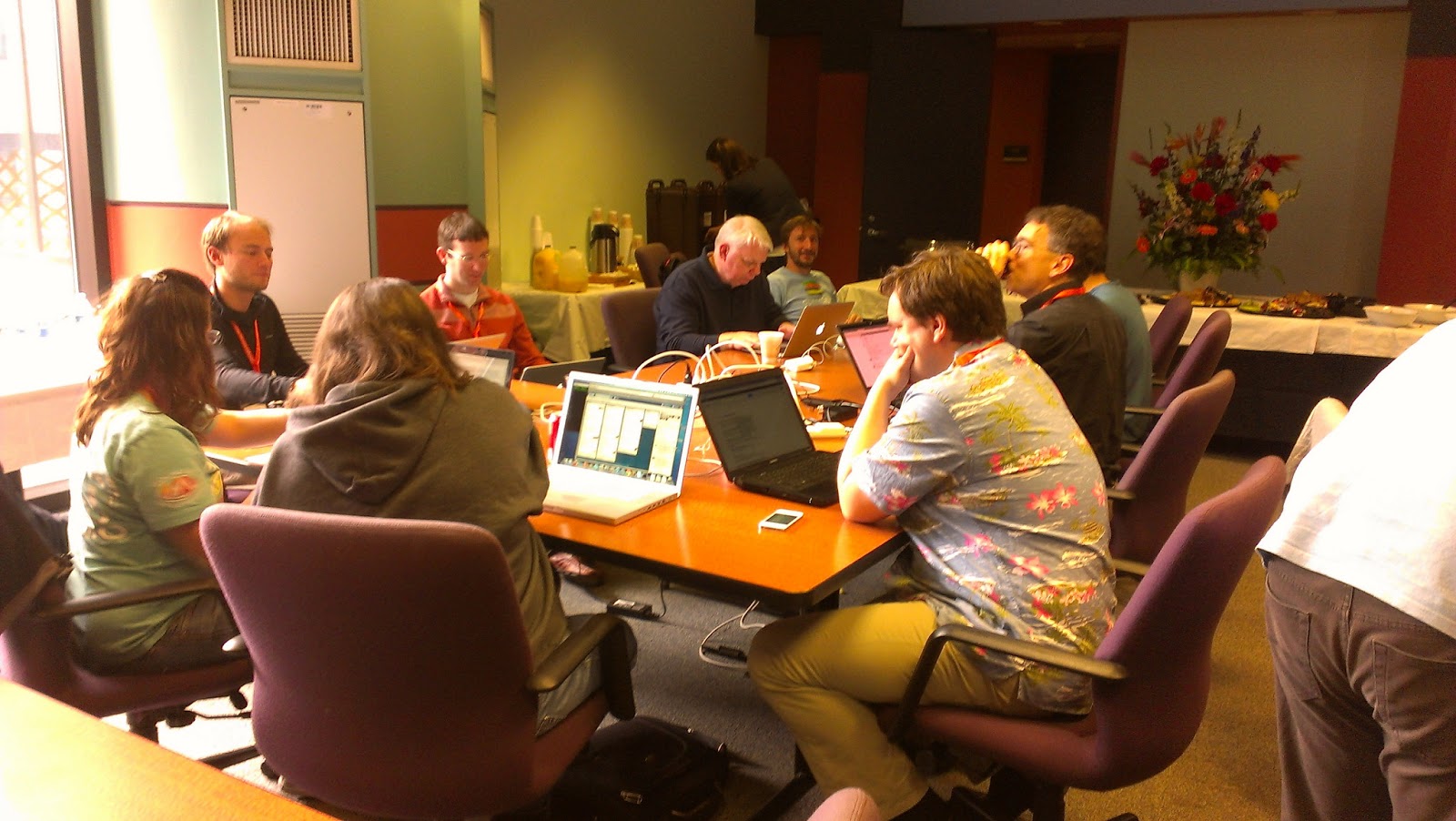
We had an excellent first day of sprinting after the Connexions conference. Today’s report includes pictures of people working together, but tomorrow we will include more links and screenshots, hopefully. About 30 people total participated on the following projects:

  • Clemens from Aloha gave a mini lesson on the Aloha editor and then VOER and BCCampus built Hello-world plugins. Marvin from OERPUB wrote documentation about how to create new plugins!
  • BC Campus, Aloha, and OERPUB worked on a WordPress plugin for the OERPUB editor. We have embeds of the editor in the

Oerpub Remix tools and in the Connexions Authoring Tools Client. But this is the first embed in a completely independent framework.

  • Marvin cleaned up the media plugin prototype.
  • Huy from VOER worked on creating links between different sections of a textbook, including search and integration with the editor.
  • OERPUB’s UI team brainstormed about integrating an author’s workspace, organizing textbook content, and the editor and its semantic toolbox. They also did user interface testing with sprint participants around a few last details of the editor design.
  • Ha from VOER got install instructions written for Fedora for the Authors Tools Client. 
  • Other topics, less editor related – a group worked on Wikipedia pages for OpenStax College and learned about making good reference materials that Wikipedia articles can point to (with good dates and author info). CNX worked on better logging, a catalog for OpenStax textbooks, VOER did Elastic Search research and porting old simple author accounts to OpenID.

Notes from the Saylor Digital Education Conference April 2013

It’s the money, stupid.

At the Saylor Digital Education Conference, this past week (April 2013), Michael Saylor talked at length about his own educational journey. He came out of MIT with no debt and was able to start a company. A student coming out of college today with over $100,000 in debt or a medical school with $400,000 of debt cannot innovate or take a risk. He stressed that the goal of the Saylor Foundation is free education for everyone. And finally, I understood that he actually meant what he said. He doesn’t mean he will put free content on a website and super-focused students can go through it all themselves. He means a high quality, guided college education for FREE. How that will happen isn’t clear, nor is how that will be sustainable, but that is what many at the conference are figuring out through trial and error yielding the next set of ideas. The argument for free is pretty clear. Right now, a 4 year college degree costs $200,000 or more. A colleague mentioned that colleges themselves claim the true cost is nearer to $280,000. That is just not ever going to scale to universal education, and it truly is limiting the future of even our brightest and most fortunate students.

How about free?

Saylor thinks that universal, free education will happen online, interactively, and will be personalized using software that people at the conference (and others) are developing. It might be paid for through advertising, or through recruitment fees, or through business models as yet unheard of.

I am also convinced that we can learn a lot more with a little help from our digital friends. We will have the ability to interact with digital models, to interleave practice with memory refreshers, to create online portfolios of our vision. We can have all our past knowledge and entire degrees worth of new knowledge at our fingertips.

But don’t spend it all on technology.

I do have worries about all this focus on digital everything transforming education. So far, most of the really dramatic results in education that I know of come from giving smart teachers the ability to interact directly with learners. Technology has never matched the dramatic gains that smart teachers make. More on that in the next post.

OER from the learner’s perspective.

My talk at the conference was chiefly about the power of semantic document formats, open-source content transformation tools, and well thought out user interfaces for authors. But, I also made an attempt to show the vision from the perspective of a learner, benefiting from the sorts of learning that is possible once their textbooks and courses are available in interoperable formats.

Usability Testing at OpenEd (1 of 2): Testing Methods and Procedure

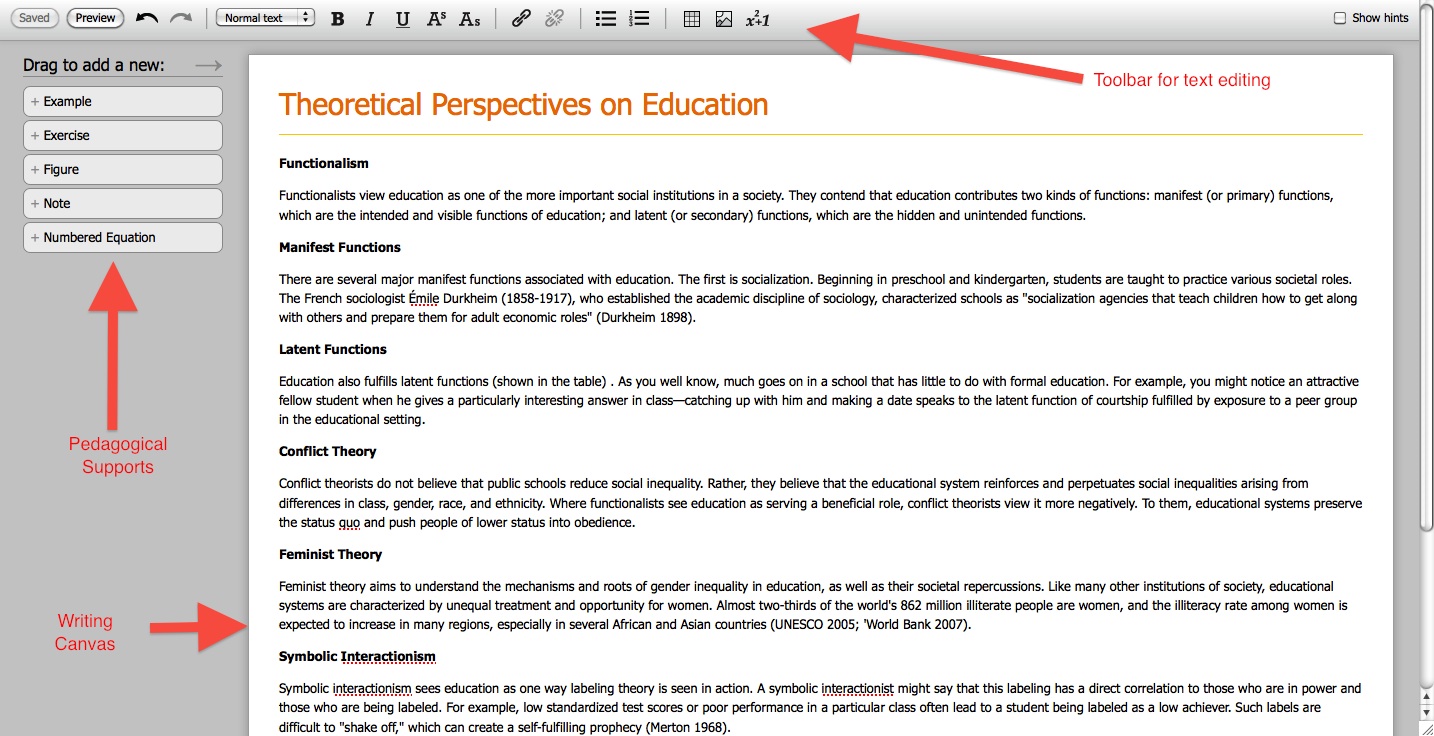
We conducted our first round of usability testing at this years Open Education Conference. It took us nearly four months to create a mockup that we think is a good starting point for something that educators might want to use and that is comprehensive enough to be tested. The mockup we tested is shown in the photo below.

A photo of the mockup we tested:

For those interested in seeing more than just a photo, below are links to the actual mockups we used for testing (beware the mockups are not fully functional and have some bugs — also, the mockups work only in Firefox):

Links to the Mockups we tested:

The Usability Test

The purpose of this test was to get answers to the following questions:

  • What editing programs do educators currently use to create educational material?
  • Do participants have positive reactions to the editor?
  • Is it clear that the editor is to be used to create educational material?
  • What parts of the editor do participants discover on their own?
  • Will users be able to discover and properly use key parts of the editor including:
    • inserting pedagogical supports
    • inserting tables, adding some content, adding a row
    • inserting an image, caption and descriptive text
    • creating section headers
    • creating links
    • inserting math
  • How usable do participants perceive the editor to be?

Our usability test consisted of the following tasks:

  1. Explore the editor
  2. Insert an exercise (here is a short video showing what that looks like in the editor)
  3. Insert a table, add some content, and add a new row
  4. Insert an image, title, caption and descriptive text for the visually impaired
  5. Make a section header
  6. Create a link to a web page
  7. Create a link to another part of the document

If the participant was a math instructor, math author, or volunteered to test the math portion of the editor, they were also given these tasks to execute using the math editing mockup:

  1. Edit an existing equation (another short video showing this operation)
  2. Add a new equation
  3. Convert LaTeX mark-up, or plain text, into an equation

For those interested, here is a link to our actual testing script–try taking the test yourself!

The Testing Procedure

Upon arrival, all participants were given this pre-test questionnaire. The questionnaire assessed: 1) whether the participant authored educational content (and what tools they used if they did); 2) whether the participant felt comfortable editing math, and 3) whether the participant saw a lecture and demonstration about the editor beforehand. Next, participants were read this orientation script informing them of what to expect during the test. Then participants were successively given each testing task to complete. Lastly, participants were asked to complete the Subjective Usability Scale (SUS) via SurveyMonkey. After the testing session, participants were allowed to ask any technical questions they had.

 Read the next post for a summary of the general findings from each task.

Next blog post: Usability testing at OpenED 2 of 2

Informing the Design of the User Interface: Understanding User Needs and Characteristics

If you’re just tuning in, in the previous post I discussed our cause–which is to design a WYSIWYG editor tailored for authors of Open Education Resources (OER). As user experience professionals know, this process starts with understanding end users’ needs and characteristics.

Different User Groups and Their Authoring Needs

From our close ties with Connexions, we know that users generally fall into three categories distinguished by their authoring needs:

1.) Experts. These users have the most experience teaching a particular subject and need an editing tool to author complete textbooks. They are educators who prefer to author content independently, or in small groups.

2.) Remixers. These users are often K-12 teachers who need an editing tool to remix–that is to mix, match and refine various parts of existing textbooks and lesson plans to meet their teaching needs. They typically share ideas and documents with other educators to create lesson plans for their students. For this group, creating educational content is a social experience.

3.) Updaters. These users like to keep existing information up to date and accurate, they need an editing to curate information. They are the least likely to author an original book. Rather, this group prefers updating outdated textbooks and lesson plans.

Characteristics of OER Contributors

While the groups above describe the kind of work the editor needs to support, they do not describe the user characteristics that are important to know to design a usable interface for authors of OER. Fortunately, our friends at Siyavula regularly conduct workshops where educators are taught how to author OER (the image below is a picture from one of their workshops.)
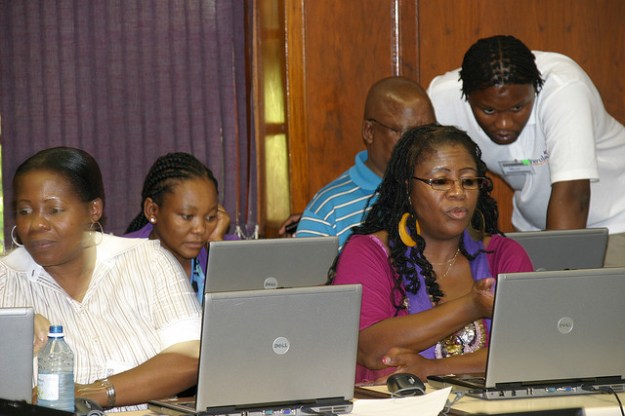
Educators using laptops learning how to author OER.

Educators learning how to author OER at a workshop in Cape Town, South Africa.

The following is some of what we have learned from these workshops:

1.) Not all Educators are not familiar with, or feel comfortable using mark-up languages such as html. Markup languages are completely foreign to most educators and using them can be source of anxiety.

2.) Not all educators are computer savvy. Some may be completely unfamiliar with basic keyboard shortcuts such as cut, copy, paste and undo.

3.) Option menus don’t always get explored. Resizing images and tables need to be as simple as dragging the borders.

4.) Numerous icons can be overwhelming and confusing. Complicated toolbars can make inserting media and other elements difficult.

5.) Authors need help with spelling. A great spell checker that offers spelling suggestions is essential.

6.) Bulleted lists that nest are important. Bulleted lists that don’t indent or nest are not enough.

Informing The User Interface

In our case, usability means having an interface simple enough to meet the needs of the least technologically savvy educator without training, yet powerful enough so that experts of the interface are efficient.

The following are the qualities we believe the editor should possess to maximize its usability for authors of OER:

1.) It should be WYSIWYG. Because not all educators are familiar with markup languages, and some may even be intimidated by it, publishing OER should not require authors to write or edit code.

2.) It should offer all the same pedagogical supports found in traditional textbooks, including: examples, exercises, notes, equations, key terms, definitions and glossaries.

3.) It should be intuitive and powerful. First-time users should not need training to publish a textbook or lesson plan, while experienced users should be fast, efficient and able to create high-quality textbooks with ease.

4.) It should allow authors to write a lesson plan or textbook in piecemeal. Authors should not be burdened with writing a lesson plan or textbook all at once, nor should they be burdened with managing, storing or saving data.

6.) The editor should be designed free of cultural assumptions to be used by persons from diverse cultures and geographical locations. The point of OER is to be ubiquitous, with contributors living worldwide.

7.) It should be fun to use. Deleting and inserting elements and creating headings and links should be engaging and visually appealing (by peter at dress head 2015). Writing a book can be challenging and time consuming so why not make it fun?

9.) Using the editor should be a social experience. It should allow authors to work in groups and provide all the tools needed for group members to communicate without having to use separate software–not even email.

10.) Using the editor should cause authors’ content to evolve toward more semantically rich “markup” and accessibility. Over time, using the editor should result in an increased use of headers, exercises, examples, and notes. Tables and images should be more likely to include titles, captions, and source information; and images should be more likely to contain descriptions that aid visually impaired learners (alt-text).


Now some questions for you. Is there anything we are missing? Are there qualities you think the editor should possess that we failed to identify? Is there a group of users that we don’t know about? Let us know!


Usabilty team blog posts

The usability team that has been designing and testing the OER editor interactions will be blogging regularly to share everything about our design and  testing process. Their first introduction post is up on the oerpub.org site.

Since we are an open source and open content project, the designs and processes are all open also. Not only do we hope to create an incredibly easy to use editor without sacrificing power and utility, but would be thrilled if the best of our ideas are copied and used elsewhere also.

And we hope that open source development teams around the world can learn from our successes and failures with making useful software.

We have a back log, so expect a quick series of blog entries as we get caught up sharing initial designs and tests from Open Ed, and then our redesigns and test cycles from December and January.

Happy reading (the intro blog post)