
Category Archives: Miscellaneous

Collaboration XOR Offline Editing

pencil writing on paper
Source: Public domain

We are building the latest and greatest authoring tool for creating textbooks and other educational material and we need to decide how important it is to support simultaneous collaboration on documents and how important it is to support the ability to edit offline. We also have to decide whether both have to be supported at once. The real question is about priorities. Which have to be done first? Are there shortcuts we can take in early versions, that still provide real value to authors?

So, first, we need to understand how real authors work and how these features help. At the development sprint in Berlin this past July, we came up with the following ways that authors use collaboration and offline editing. We used our own experience, but we are mostly programmers and techies. Luckily, we also had Siyavula’s experience running workshops where teachers collaborate to write aligned textbooks, as well as Booktype’s experience with documentation sprints, and also the experience of open journals and newspapers.

Collaboration benefits (How simultaneous must collaboration be?)

  • One version to rule them all: One of the most important benefits of online document editors is that you don’t have multiple versions of documents being emailed around and dug up from many people’s computer hard drives. Everyone can see and access the current version. This suggests that a single online version would be useful, even if only one person could make changes at a time.
  • Simultaneous edit, but different jobs: One person may be creating and another one editing for style. Or one person may be authoring text while another finds images and media. This suggests that it would still be useful if the editor”locked” small regions of a document and let only one person be in a region at a time. 
  • Commenting: In many authoring workflows, reviewers make comments, but are not actually responsible for implementing the changes. The author retains that right/responsibility. Annotation systems can serve this need well, without requiring synchronous editing.

From this use case analysis, we think we see ways to make collaborative editing work well for authors without using sophisticated conflict-resolution techniques needed for true simultaneous editing. You can allow true simultaneous editing within text-only portions of the content (because open-source libraries exist for that). But you can use locking on the structure of individual semantic units so that two authors can’t change the same figure/exercise/glossary entry at the exact same time. And therefore you don’t have to write custom conflict resolution. But then to complicate things, what about offline editing?

Offline editing

  • Internet access is not ubiquitous everywhere. Offline editing really can be critical in places where authors may go home from a workshop and not have high-speed access.
  • Productive use of wait time: Offline access is extremely useful for editing and composing while travelling and waiting. Life provides us all many opportunities to wait. OER could benefit from all that wait time.

Offline editing can be supported by HTML5’s ability to store data locally in the client browser. Upon reconnect, the changes are applied to the document.

Both simultaneous editing and offline editing have important use cases. But if you allow offline editing AND collaboration, then the lazy collaboration we propose above won’t work, because the structural locking can’t be done. And we want to be as lazy as possible so we can get the most functionality out to authors as soon as possible.

The big question: Is it possible to provide authors the ability to do offline editing OR collabrate, but not both? 

For single authors, offline editing could be enabled, and collaboration disabled. That gives them the ability to write whenever and wherever. But if they want to get reviews or work on content as a team, then offline editing would have to be disabled. Would this work?

P. S. How important is Revision history?

  • Source-code style revision not used by most authors: From our observations of our own behavior with tools like Google Docs that support fine-grained document revision histories, and from observing teachers at workshops, most people are not using the revision history to find out what changes happened when and trying to apply source-code like merge/accept/reject. For contracts these functions are used extensively, but for educational content, not so much.
  • Seeing what the last editor did is useful. When someone makes edits though, being able review just their edits is extremely handy. But this feature is frustrating if you have to scroll through a long document to find those edits. And often there appear not to actually be any changes. 

For now, we are not planning to tackle revision histories. But we are interested in techniques that others come up with, especially if they are author-centric : designed and tested with real authors. I just don’t think that the same things that work for programming will work for writing.
WYSIWHAT: Sprinting in Berlin on Creating/Editing Meaning Full Docs

Authoring with meaning and style. 

A group of 18 met on Monday in Berlin to discuss the ideal authoring tool for creating rich content that travels well. By travels well, we all meant slightly different things. In the world of Open Education Resources (OER) we care about content that is easy to share, mix, adapt, translate, and improve. Projects helping groups create books or helping authors self publish, traveling well means content that can be made effective online, in print, and in mobile formats of various sizes and capabilities.

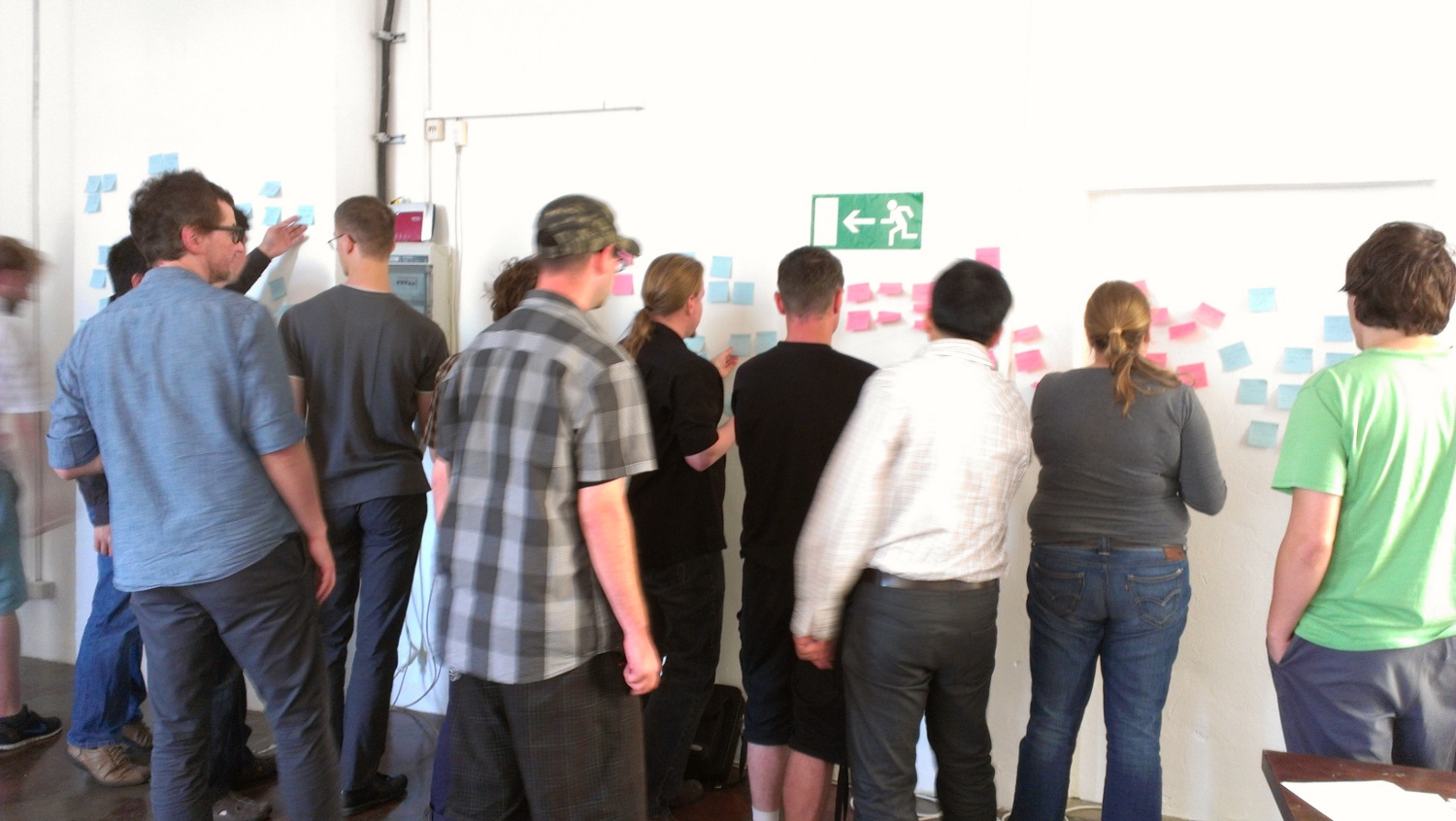
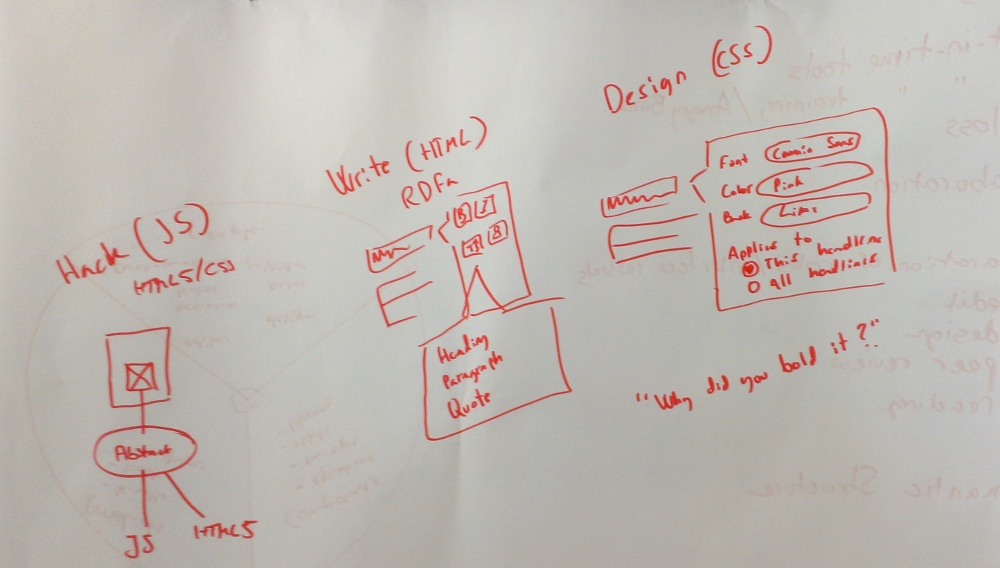
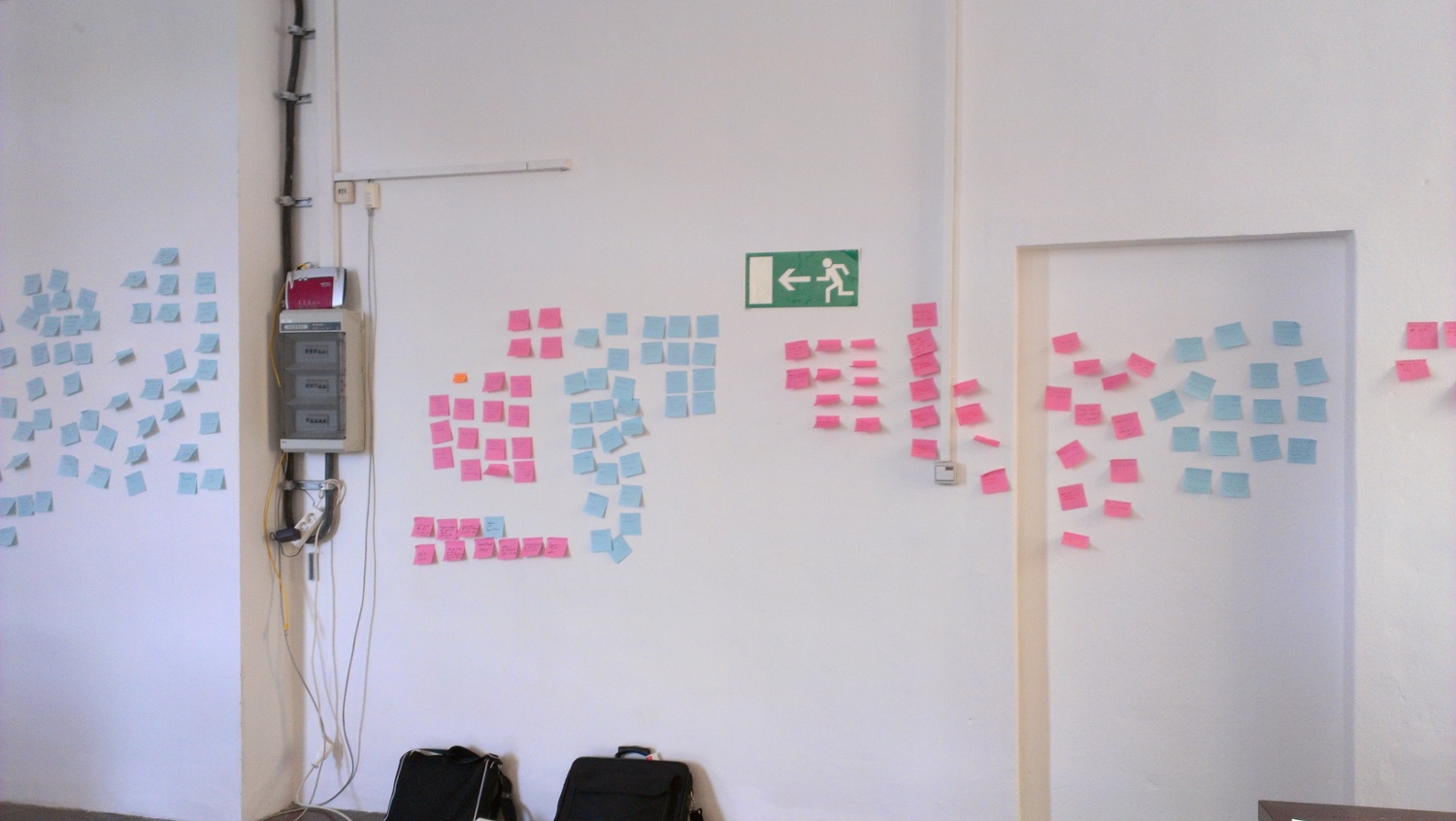
The day was organized as a brainstorming session in 5 groups, twice over, with pens and paper for drawing concepts as well as paper prototypes. Then we had lunch. And then the groups presented ideas and people wrote ideas, questions, issues on sticky notes, which we then sorted into major categories.

Join our discussion!
Principles: We all agreed on a surprising number of principles that appeared from the groupings and commonalities:

  • An editor/authoring tool must show authors, editors, and designers what the finished project will look like in various formats. WYSIWYG is necessary, even though some of it will necessarily be in selectable previews
  • The model that works best for creation of content is a clean canvas (blank page like) with a simple set of tools that are there when you need them, but not ever overwhelming. 
  • Content is created in workflow phases that may alternate in time, but are distinct in the operations that are needed. Content goes through creation, enhancement, review, basic styling, and finishing for distribution. If those phases can share an editor, but customize the interface and supported operations, the natural workflow will be supported in a fluid, dynamic way.
  • Tools should be contextual. 
  • Training should be integrated and contextual (angry-birds style!)
  • A very clear separation between structure and style is needed to support documents that travel well.

Finally three more groups formed. 1. Developers to go and evaluate existing web-based HTML editors and bring brack recommendations. 2. Writers/Editors representatives to take the brainstorming and prioritize must-haves, really-like-to-haves, and someday-wants. 3. And Designers’ representatives to look closely at the needs for layout, image managment, and style. 

Day 2

In Day 2, we spent the morning reviewing the knowledge gathered from the day before with the goal to choose a code base for everyone to work on for the rest of the week and hopefully for the near future also. There was a lot of interest in Aloha and Hallo.js, with practical reasons to consider choosing just one for now, but keeping our work flexible so that other editors can be incorporated. In the afternoon, developers started work enhancing image upload and image drag and drop from desktop to document. You can follow along on github. 
The design group looked in depth at some mockups from the oerpub team and started working on designs for adding images, equations, and more
The sprint continues for the rest of the week, although I have resumed holiday en Toscano!

Future

Follow along on Github

OR12: Open Repositories in Edinburgh : OER and Institutional Repositories

Marvin Reimer, Ying Jin and I were recently in Edinburgh giving a workshop and talk related to our work with SWORD and OER. We have an extension called OERPub that adds defined metadata and specific mechanisms for making new versions and new derived copies of content using the Dublin Core metadata fields.

The party on Wednesday at the Edinburgh Museum.

The Open Repositories conference last year (2011) is where Ross Reedstrom and I confirmed SWORD as a great way to get a publishing API for OER. We went to the workshop given by Richard Jones and Stuart Lewis and also managed to snag Stuart as a reviewer on our extension and first server and client implementation.

The meeting this year was focused mainly on the academic community that builds, uses, and extends repositories like DSpace, Fedora, and EPrints. The focus is on Institutional Repositories and the archiving and preservation of scholarly works. In some sense, our OER work is an outlier at the conference, but it fits in well with the learning repositories supported by JISC, JORUM, and Open University’s Lab Spaces.

We gave a workshop on depositing to Institutional Repositories and OER repositories at the same time using SWORD and OERPub. Faculty authors of textbooks, courses, and, educational journals fit nicely into both worlds. The presentation we gave reviewed the motivations and use cases and we also provided a handout to get started technically. During the main conference, Marvin and I presented an overview of the extensions to SWORD to support OER.

Fast forward to minute 55 to see me describing the OERPUB API or view the slides on slideshare.

One of the projects we found especially interesting from the conference was the Edina Repository Junction Broker. The RJ Broker is designed to help scholarly publishing houses archive authors’ copies at their respective institutions, but it would be a really nice way to do IR deposits of OER also. We could hook RJ Broker into our client and then allow authors to archive their textbooks and courses at their institutional repositories through RJ Broker.

WYSIWHAT Sprint in Berlin, July 23-27th : Join us.

By David Plotzki (cropped from Museumsinsel) [CC-BY-2.0], via Wikimedia Commons

 Come brainstorm, design, and sprint with us in Berlin, July 23rd to 27th at the Sourcefabric offices. 

Day 1: A free, one-day event for designers, writers, educators, journalists and anyone who produces text in the browser. What is the future of the wysiwyg editor? Work with developers to shape future web tools that make producing text online an easy, powerful and even fun experience.

It’s an open event and all are welcome. All levels of technical virtuosity can contribute, from the web illiterate to the super geek.

Days 2-5: If you are indeed a super geek or interaction designer, you may wish to stay for the next 4 days and work with others to take the ideas of the first day and try and do something with them. Stay to experiment with user interface designs and code, extending existing browser-based editors. We will have developers from OERPUB, Booktype and Connexions who have already started experimenting and building.

Lots of ways to indicate interest, find out more, or sign up:

San Francisco Sprinting

Not only did Aspiration invite us to the
SanFrancisco Nonprofit Technology Center, but
Allen Gunn (Gunner) gave us (4 of the 5) the
scenic tour on the way, stopping at Twin Peaks.

This past week a group of 5 of us met to embark on the future of OER content creation — authoring that is easy, fun, rich, and remixable. Specifically we were here to experiment with five existing open-source HTML editors (TinyMCE, Mercury, Proper, Aloha, and Wysihtml5). We plan (with help from several other projects) to adapt one to create structured educational content.

For the first two days, we got some existing projects complete (a more stable document conversion system) or more complete (a continuous integration system). We also defined a set of technical challenges for the editing software. From our own experience and the designs of a user experience team, we knew that we wanted authors to be able to learn while creating, and we wanted them to immediately see the benefits of describing educational features like exercises, terminology and definitions, and even headers that serve as learning guides. So we took user interface designs and ideas, and created a set of technical challenges to apply to the editors. The technical challenges were designed to see if the editor was easy to manipulate in ways that will be needed to support authors creating their content, learning the tool, and using the features easily. They ranged from ensuring that conventions that author expect to work do indeed work — like simple to create paragraphs and the ability to cut and paste text anywhere — to making sure that it will be possible to do smart context menus and smart cut and paste of structured content. In addition to the challenges, we listed the ways we would evaluate the different editors.

Only 2 of 5, because I
forgot to get a picture
earlier. But you can probably
imagine what 5 people with
laptops look like around
this excellent table at the
SFTechCenter.

So after all this prep, the four developers set out to read docs, look at API’s, and do the qualitative part of the evaluation for all five editors. Editors got significant bonuses for understanding HTML5 documents (because the educational format will be HTML5), having good support for tables and images already (so we don’t have to build that), supporting XHTML (because both projects sprinting use XSLT extensively in tools for importing and exporting), and having broad browser support (because teachers need to be able to use the browser they have). We also looked at the existing community of developers, because we want help and longevity. Based on the qualitative evaluation, Aloha had an edge on all other browsers with the trifecta of HTML5, XHTML support, and IE support.

Phil Schatz had already worked extensively with TinyMCE and Proper and had a good feel for their inner workings (both strengths and weaknesses). Gbenga Badipe and Max Grossman (interns from Rice University) investigated Mercury. Marvin Reimer investigated wysihtml5 and then moved over to Aloha after deciding it didn’t yet have enough supported features. Phil worked with Aloha. Phil implemented challenges 2 and 4 and some of 7 in Aloha in a relatively short time.

So there you have our sprint in action. Did we meticulously fill out the entire matrix of challenges and qualitative evaluations? Nope. But we did determine that one editor, Aloha, with the most qualitative evaluation points, was also relatively easy to extend. We got two developers that will be full time on this project aligned and prepped. We engaged the interest of our interns in this next phase of the project. We got to spend an awesome four days in San Francisco, eating delicious food, experimenting with editors, discussing ideas, and sharing space at the Tech Center, one of SF’s fine co-working spaces.

Onward to Berlin, July 23rd – 27th, where we are co-hosting WYSIWHAT, a day for designers, writers, and educators to envision the future of the wysiwyg editor, followed by 4 more days of developer sprinting. If you are in the area and interested, please join us.